Posts

Showing posts with the label Power Meters

SB20 - One of my Power Meter Cranks Have Failed. Now What?

Image
The SB20 smart bike has dual power meters. They work together to give you accurate left:right power measurements. Here's a  dual power meter example with Zwift: Right Crank measures power and sends it to the Left Crank . The Left Crank adds its measurements and sends a single message with consolidated L:R data to any connected apps ( Zwift in this example ). Apps like Zwift support a  Power Source  connection to: The Stages Bike or Directly to the left crank. When both power meters are working correctly, both  Power Source connection methods provide similar performance. For more information, see  How to Pick a Zwift Power Source . What if One Crank Fails? Some SB20 owners have abandoned their bikes when a single power meter has failed. These bikes could have been saved by simply reconfiguring it to use a single power meter. Single-sided power measurement is still very accurate. You simply lose left:right pedal metrics. If one cranks fails, the other crank can...

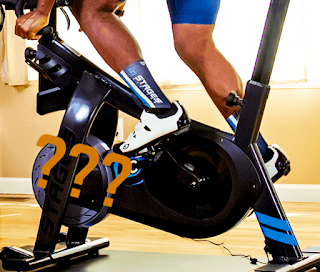
SB20 - Compensating for Power Meter Inaccuracy

Image
Are my Power Meters Accurate? One of the most common complaints on cycling social media is: "My power meters are inaccurate." Reasons include: 1. Riders perform better in different environments. Whether it's outdoor or indoor, many cyclists see higher power in specific scenarios. 2. You’ve done a dual meter comparison using something like ZwiftPower ( Comparing Power Meters with ZwiftPower ). 3. The power meters are actually bad ( opinions vary so please keep reading )   Here's the problem:   Comparisons can be misleading. Indoor and outdoor riding environments differ significantly . The resistance and acceleration vary greatly, causing many power meters to struggle with accuracy in one environment versus the other. Riding style is also a factor; smooth riders often see different average power measurements compared to those who vary their cadence and acceleration. With dual power meter comparisons  it is impossible to know which power meter is correct when only two a...

SB20 - Bike Resistance Issues

Image
SB20 owners occasionally report that their bike is producing resistance  that is too high or low. Here's how to verify that your bike's resistance is correct. What is resistance and what causes it to change? Resistance is the pedal tension that you push against to generate power. The faster you pedal against a given amount of resistance, the more power you produce.  Note:  Erg mode  behaviour is different. Here's a description if you are interested:  What is Erg Mode?    This discussion focuses on  free ride/race/sim mode  resistance. What about Power Meters? Power meters  measure  how hard you are pushing against the bike's resistance. Pedalling faster against this resistance, increases power (watts).  Pedalling slower, decreases power. Power meters do NOT affect resistance. They only reflect increased resistance if you choose to pedal harder against it 💪. Example: Zwift Resistance Here's how resistance is set in a ...

SB20 - Both Power Meter Cranks have Failed - Now What?

Image
When your Stages SB20 smart bike is working normally, the built-in power meter cranks provide power and cadence data to apps like Zwift . Behind the scenes, they also provide the data that lets the SB20 regulate resistance when running in Erg mode. Some riders also add 3rd party power meter pedals .  They can work very well.   It surprises many people that Erg mode requires the built-in Stages power meters even when 3rd party power meters are in use.   For more information on SB20 erg mode , see: Erg Mode with a Stages SB20 Smart Bike . Question of the Day 📣 Question:  If my Stages crank power meters fail a nd I have another set of 3rd party power meter pedals , can I still use my SB20 bike?  The Short Answer: You can still do free rides and races in Zwift and other apps. You will not be able to use Erg mode.  ------------------- Urban legend: Erg mode still works with 3rd Party Cranks   Some people report that Erg mode still works when they use ...

What is Erg Mode and Why Can it Suck?

Image
Free Riding is Easy Let's start with the relationship between resistance , cadence and power (watts) when doing an indoor free ride (sometimes called sim mode ). Free riding follows a simple formula:  Power in watts  =   How hard you push   ⨉   How fast you pedal   Your indoor bike offers constant resistance when you stay in the same physical or virtual gear. Pedal at a constant RPM and you get a consistent number of watts. If you then pedal 10% faster, you produce 10% more watts.  Pedal 10% slower, you produce 10% fewer watts. 📣 Free Riding Summary: When simulated riding conditions stay the same, pedalling faster produces more watts. Pedalling slower produces fewer watts. And don't forget: There is one way to go faster in Zwift.  Produce more watts 💪.    If only indoor riding was always this simple... Erg Mode When doing structured workouts, Erg mode is popular. It allows you to produce a desired number of watts whether y...

SB20 Dream Drive

Image
SB20 Dream Dream provides equally spaced virtual gears across the SB20's Resistance Range .  Define a configuration with 10 gears and you get 10 equally spaced virtual gears. Create 25 gears, and you get 25 equally spaced gears.  How does this compare to traditional 2X gearing with its 2 front chainrings and rear cassette?   Let's find out. What are Virtual Gears? First, let's understand  virtual gears .  How do they differ from an indoor trainer and why are virtual gears often considered better? Smart bikes and trainers expect apps like Zwift to control electronic brake resistance.  This allows the indoor bike to simulate riding conditions like flat or hilly terrain along with different riding surfaces like dirt or asphalt.  Trainers use the attached bike's physical gears to add the resistance that represents the effort needed to move a bike over the simulated terrain.  Smart bikes accomplish the same by simply increasing the ele...

Stages Power Meter Battery Tips

Image
When doing my 3 month test on Batteries and SB20 Power Meter Accuracy  I did many power meter battery changes. Here are some interesting things I found. Button Cells Stages power meters use CR2032 button cell batteries. Their naming is logical enough.  The first letter for  chemistry : C=Lithium, L=Alkaline and S=Silver, is a bit confusing.      "Mark" Batteries Before Using Them I paint unique markings on all new batteries  before installing them.   I changed batteries from new to old - and back - dozens of times in the past few months. I dropped batteries on the floor more than once. A unique mark lets me distinguish new from old . Easy Battery Removal I stumbled on this Stages battery removal trick:  Push the battery inward , opposite the side contact.  Rejuvenating Battery Contacts My power meters are 3 years old. Its battery contacts have become slightly flattened . Pushing them back to their original position is a delicate but ea...

Batteries and SB20 Power Meters

Image
Today's question: How does battery level affect SB20 power meter measurement? Let's do a deep dive and find out! My Overall Takeaways I recommend battery change interval to be 100-150 hours. Be careful with battery level estimates. Battery levels  do tell  when the battery is healthy (when 90-100%).  Estimates then to drop off after this . Nowadays, I use  BattView   to watch for when my PMs drop below 90%. This corresponds to around 150 hours and is a good time for me to replace my batteries.  Note: You may have different thresholds. If I had a really important indoor event, I would consider replacing batteries if I was near the 150 hour or 90% remaining threshold.  In-Depth Measurements Replaceable Batteries The Stages SB20 power meters have replaceable batteries. An advantage: No degradation of built-in batteries as the power meters age. A disadvantage: No ability to top up batteries to 100% whenever you wish. Battery Life CR2032 button cell b...

Comparing Power Meters with ZwiftPower

Image
In a previous post, I showed how to record data from two power meters and analyze results in a spreadsheet: Comparing Power Meters with a Spreadsheet . Today's post shows how to do power meter comparisons using ZwiftPower - and no spreadsheets 🤓. ZwiftPower Dual Power Meter Analysis Tool The ZwiftPower.com web site has a tool for comparing power meters. It works best with a Zwift activity (race, workout, group ride or whatever) although the method described here lets you compare any FIT activity files from other sites like Rouvy.com or TrainerDay.com .  Note: Comparing power meters is only useful if one or more of the power meters has been calibrated with a torque test . Skip this test and you won't know which power meter is incorrect when differences are found . Comparing SB20 Smart Bike with Garmin Rally Pedals In this example, I use my Stages SB20 smart bike to compare power readings with a set of Garmin Rally pedals.  I do a structured workout where Zwift records pow...