Posts

SB20 - Power Meters - Zero Reset

Image
 What is a Zero Reset?  The  Stages SB20  bike has power meters that support a  zero reset  function.  Zero Reset  tells the vertically positioned crank power meters: "Torque should now be zero Newton-meters (Nm)" .  This allows subsequent readings to be made from a correct  offset value . It's like setting 0 lbs/kg on a bathroom or kitchen scale. Here are things that commonly affect the offset value : 1. Different pedals. 2. Temperature or humidity changes. 3. Nearly depleted batteries.  The Left and Right numbers you see in the Stages Cycling app are an internal representation of the amount of torque that will be added or subtracted from each PM reading. Before Every Ride? Should you do a Zero Reset before every ride? It depends . If your riding environment has consistent temperature and humidity then Zero Reset does nothing.  If temperature and humidity changes significantly between riding sessions, Zero Reset m...

SB20 - Restart and be Happy

Image
No On/Off Switch Most smart bikes and trainers don't have an on/off switch?  Many of us ask  why?  The usual answer is cost . A power switch adds a dollar or two to the product price. I'm not so sure.  I think answer is tied to regulations . An on/off switch on any product with a separate power brick affects compliance with things like Energy Star ratings since the power brick continues to consume energy after the switch is turned off.  In other words, it's likely more political than a technical or cost factor . Welcome to our Beta Test Online indoor riding relies on software and hardware from several vendors. Any component can have bugs or other issues that affect reliability and cause communication errors with apps that have not been tested together. For example: My SB20 smart bike had a longstanding Zwift bug in iOS that prevented automatic connecting for 16 months! Other bugs have been less obvious. More than one app has slowed down time  with the sec...

SB20 - How to Pick a Zwift Power Source

Image
Real Power Meters The Stages SB20 Smart Bike is unique. It uses two crank-based power meters to send power measurements to apps like Zwift. Most other bikes and trainers guess at power based on how much electronic braking is being applied at any given moment (this method is good when a bike/trainer leaves the factory - not so good as components wear). How to Connect an SB20 Zwift can connect to the Left Crank or the Stages Bike (SB20) itself as a Power Source : Which should you pick? Zwift Connections Here's how crank power meter data (power and cadence) is sent to Zwift, the Stages Cycling app and other devices like a Garmin computer: Bluetooth, ANT+ and WiFi connections are all used.  Here are some additional details: 1. The right crank gets its own data (raw force and cadence information) and sends an update to the left pedal once a second with power and cadence metrics. 2. The left crank collects the right crank data, adds to its own data and sends consolidated informat...

Wireless is Good - and Complicated

Image
 My Smart Bike is Wireless! Wireless connectivity is ubiquitous. Most of the time we can take it for granted. That changes when we see dropped connections and spotty Zwift performance. If you are having wireless issues, it's good to ask: Is something causing interference?  When looking my SB20 smart bike setup, I realized that a typical riding session is fairly intense in terms of wireless protocols, bandwidth and data transfer rates. Interference from just my devices is a possibility. 16 Wireless Connections and Counting Here's the view from my smart bike saddle: two iPads, iPhone, Garmin bike computer, two Zwift play controllers, Heart Rate Monitor (HRM), power meter cranks plus wireless earbuds for an occasional Discord session. Collectively, these devices use 3 different protocol families: WiFi, Bluetooth and Ant+. Most share the same 2.4 GHz frequency spectrum. At last count: One indoor ride uses up to 16 wireless connections.  Add to that, family members in my hous...

One Crank has Reversed Threads - Which one 🤔?

Image
 TIGHTENING PEDALS - WHICH WAY TO TURN? Can't remember which way to turn the wrench? I have always used this method: 1. Turn wrench in the direction of the pedal stroke to tighten the pedal. 2. Turn wrench in the opposite direction of the pedal stroke to loosen the pedal. Same rule for right and left cranks . That means the left crank has left hand (reversed) threads i.e., clockwise to loosen, counter-clockwise to tighten. Of course, it works for the smart bikes too 🎉. 

Smart Bikes, Zwift and Bike Computers are all WRONG

Image
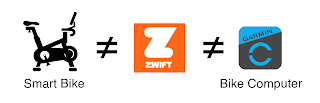
My SB20 smart bike comes with an app that shows power, distance, cadence, L:R balance and current virtual gear. You can also use a bike computer like a Garmin 540/840/1040  to show similar data. When you use either at the same time as  Zwift, you see different numbers.  Who is correct? Answer: They are ALL CORRECT and ALL WRONG!  How can that be?   Let's find out. Before getting started,   it's a good idea to agree on basic parameters. Note: In this discussion, I use the term  Indoor bike  for smart bikes and smart trainers along with their related apps. RESISTANCE AND POWER 1. RESISTANCE - An indoor bike creates resistance that makes it harder or easier to pedal.  2. POWER - The harder you push against the indoor bike's resistance (measured in newton metres) multiplied by how fast you pedal (RPM) defines the POWER you are producing (specified in watts per second or just watts). POWER is a measured number and is EXACTLY the same if ...